Showing posts with label ICT. Show all posts
Showing posts with label ICT. Show all posts
Thursday, July 19, 2012
ICT in ECE
Earlier this year I posted to the blog an invitation for you to share the ways in which you are using ICT in your settings, in particular I wanted to find out the following:
What digital devices (Computers, Cameras, tablets, MP3 players etc) you have in your centre and how you are using these.
What programmes do you find most useful and what are you using them for?
Do you blog or are you part of any online community? Do you use Wiki’s or Google Documents? What do you use these for?
What has helped or hindered your use of ICT?
How are children using the ICT you have within your setting?
Do you have iPads, iPods or other handheld devices that children are able to use and if so what are they using them for?
If you are using an iPad, what apps are you finding useful?
I have had feed back from a few centres, and am very keen to have a variety of centres represented to get a clear picture of the way ICT is being used within Early Childhood Settings currently. I would really like to hear from you, this is such a good way to show case some of the work you are doing within your setting. If you have any learning stories, photos or teacher reflections I could use that would be great (I would need permissions for these).
Please email me at jo.colbert@elp.co.nz
Thursday, January 12, 2012
Information and Communication Technology - an invitation to participate
In particular I would like to find out:
What digital devices (Computers, Cameras, tablets, MP3 players etc) you have in your centre and how you are using these.
What programmes do you find most useful and what are you using them for?
Do you blog or are you part of any online community? Do you use Wiki’s or Google Documents?
What has helped or hindered your use of ICT?
How are children using the ICT you have within your setting?
Has ICT made a difference for children's learning? If so how?
Do Parents and Whanau have access to ICT within your setting?
Do you have iPads, iPods or other handheld devices that children are able to use and if so what are they using them for?
I am keen to support Centres that currently have an iPad but maybe not using it to its full potential, so let me know if you are interested in this.
If you could answer the above questions and anything else you would like to add, email me at jo.colbert@elp.co.nz
This is a great opportunity to showcase some of the fabulous work happening in your centre and I look forward to reading your responses.
Ka Kite
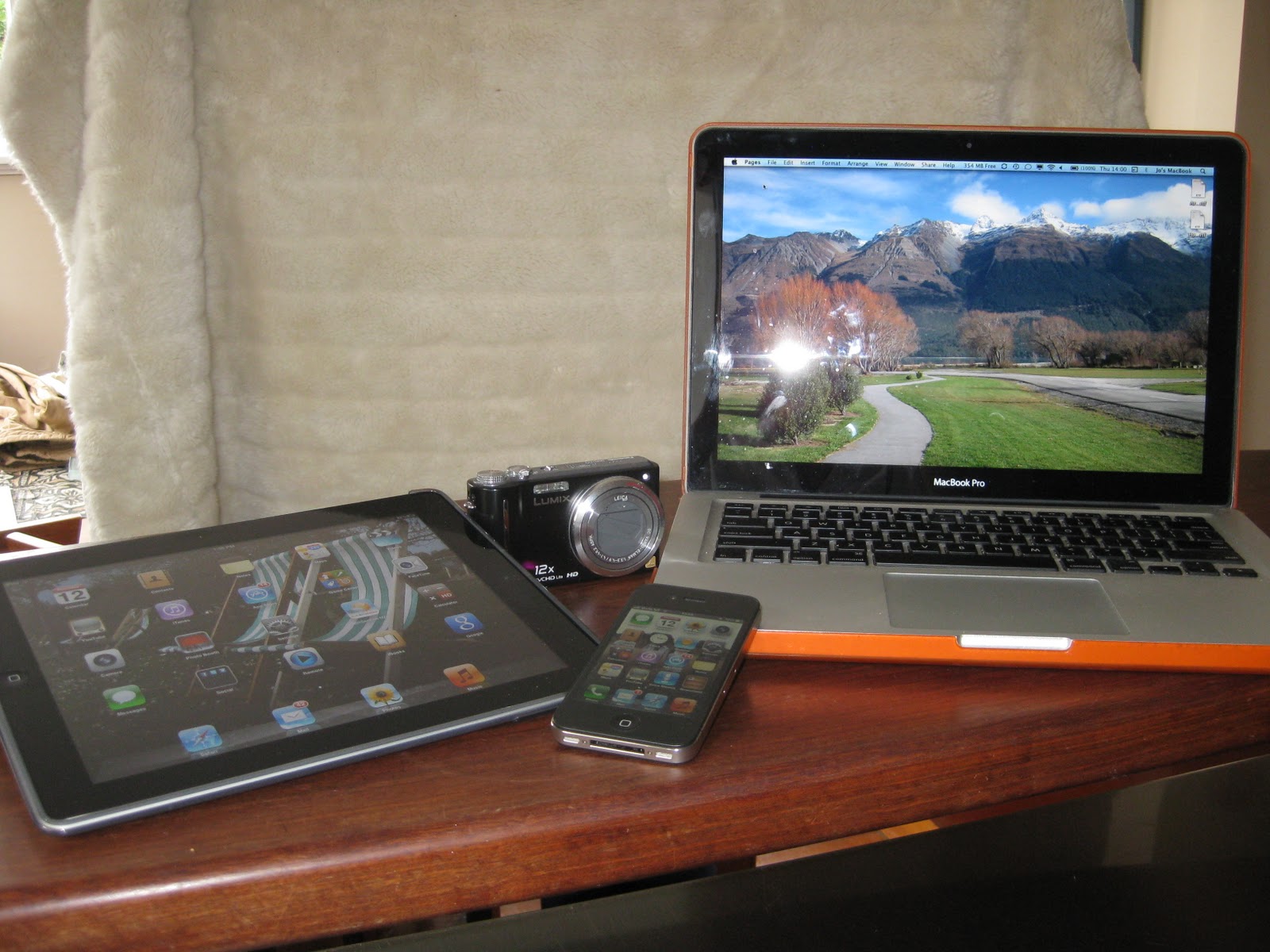 |
| A small selection of ICT in my house! |
Friday, January 14, 2011
Fontastic

Look at any list online of the worst fonts and top of the list is Comic Sans.

it is written. Critics of Comic Sans say it is an uneven font, the spacing is not
the same for every letter, it is a casual font often used with the wrong
purpose in mind - it was designed to mimic comic strip script and was

Gill Sans and Helvetica on the other hand are two of the most popular fonts. Gil Sans was designed by Eric Gill in the 1920’s, it has been used widely in
the London Underground. Helvetica was created in 1957 and
when you look around at packaging it is every where. Energizer, Post-it, evian,

So, there are a few golden rules when it comes to choosing a font, the first of which is to think about the purpose of the font. Is it for a learning story or other documentation that you want children to revisit? If it is then it needs to be easily ‘read’ by children, some fonts like brushed script
are really difficult for children to identify individual letters. This is a common mistake
I see when I read through children’s learning story, the font used is distracting from the
content, and is often hard to read for me as an adult. What must this be like for children
when they are revisiting documentation? Comic Life’s default font is capitals and I often
see this in learning stories (see my Comic Life sheet on our website on tips to avoid this).
Is your piece of work going to be enlarged? Some fonts work better than others at larger sizes, and if your document is going to be printed some smaller fonts do not print well.
Different fonts take up different amounts of space, even at the same point size, Papyrus for example takes up more space than Arial.
Think about the impact you want to make, don’t be afraid to mix fonts if you are making a poster, the impact of these can be very eye catching.
Check out the font family, Helvetica has the following options in it’s family.
 |
| Helvetica font family |
This is great when you are making a document with a variety of font sizes and you want to stick with the same font.
Check that the font you are using ‘set’ is complete. Particularly if you are typing Maori words, you want the macron to be straight over the vowel.
For more information about fonts and selecting best fonts and avoiding the worst check out the following link:
http://absolutegraphix.co.uk/bestworstfonts.asp?strID=Guest
Thursday, January 28, 2010
The iPad
The highly anticipated launch of the Apple Tablet happened this morning (NZ time)Steve Jobs has announced the iPad (my fav name for the device) and as suspected by many in appearance is like a flattened iPhone.
Specs include a 9.7 screen surrounded by a wide bezel. It will have between 16GB and 64GB solid state flash memory and weighs 680grams.
It has 10 hour battery life so will be perfect for watching video on long plane trips.
Apps will include Apple Works for iPad, an Art app, iBooks which includes a virtual bookshelf where books are displayed. The iBook reader looks similar to the app I currently have on my iPhone.
So what to use the iPad for? Movies, games, reading books, email, web browsing etc etc.
Check out this link for more information and photos
An aside Mark Webster's website http://www.mac-nz.com/ he mentions that Air New Zealand is in the process of adding iPod & USB jacks to economy seats, very handy I think.
Cheers
Jo
Specs include a 9.7 screen surrounded by a wide bezel. It will have between 16GB and 64GB solid state flash memory and weighs 680grams.
It has 10 hour battery life so will be perfect for watching video on long plane trips.
Apps will include Apple Works for iPad, an Art app, iBooks which includes a virtual bookshelf where books are displayed. The iBook reader looks similar to the app I currently have on my iPhone.
So what to use the iPad for? Movies, games, reading books, email, web browsing etc etc.
Check out this link for more information and photos
An aside Mark Webster's website http://www.mac-nz.com/ he mentions that Air New Zealand is in the process of adding iPod & USB jacks to economy seats, very handy I think.
Cheers
Jo
Tuesday, January 26, 2010
The Apple Tablet?
With less than 48 hours to go before Apple's much hyped media event my anticipation is increasing and I am reading with interest the tweets coming through about speculation that an 'Apple Tablet' is about to be released.
I can not wait!
There are many names floating around, including, 'iPad'. 'iSlate' and the Apple Tablet. What ever it is named one thing is certain, it will have the sleek lines and innovation of the Apple products gone before.
Look no further than You Tube and you will find many fake images of the yet to be announced Tablet, they do look very cool! Rumour's include the design of the Tablet likened to a flattened iPhone with a 10' screen, a front facing camera, a virtual keyboard and e-book to name a few.
Have a look at this link for one of the fake Tablet's http://www.youtube.com/watch?v=ysW2T0kf4As
Cheers
Jo
I can not wait!
There are many names floating around, including, 'iPad'. 'iSlate' and the Apple Tablet. What ever it is named one thing is certain, it will have the sleek lines and innovation of the Apple products gone before.
Look no further than You Tube and you will find many fake images of the yet to be announced Tablet, they do look very cool! Rumour's include the design of the Tablet likened to a flattened iPhone with a 10' screen, a front facing camera, a virtual keyboard and e-book to name a few.
Have a look at this link for one of the fake Tablet's http://www.youtube.com/watch?v=ysW2T0kf4As
Cheers
Jo
Subscribe to:
Posts (Atom)